
The Position Property is real OG in css, now we have Flexbox and Grid to move or locate the element but still there are many use cases where we can't avoid position property, be it sticky navbar or to design footer which remains on bottom of the page. But learning and understanding css position property is a bit tricky as you have to use your mental model to visualise the whole game of positioning. I am not an experienced web developer so i will try my best to elaborate css positioning property.Hope i will also learn something with you about positioning. So let get started.
Different CSS Position Property:-
1) Static:- Basically static is default property, so the element will stick to the normal page flow. as there are other options for to move element like top, bottom, left, right, z-index,static has no access to this. so we can assume that as name suggest Static is static with no option to move the element. Static property's only motto is to go with flow.
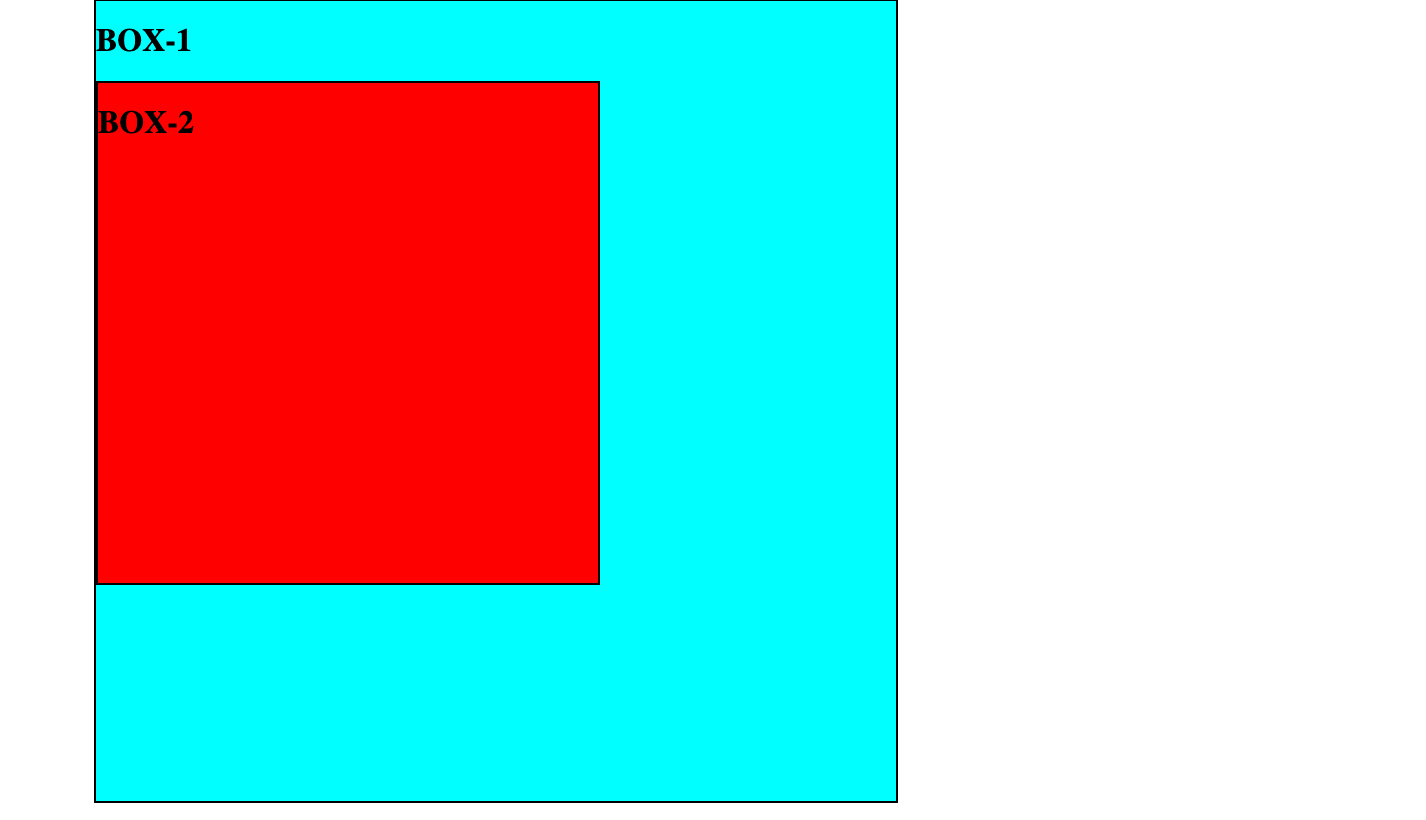
.box1 {
    width: 800px;
    height: 800px;
    border:2px solid black;
    background-color: aqua;
}

.box2 {
    width: 500px;
    height: 500px;
    border:2px solid black;
    background-color: red;
}
2) Relative:- Unlike Static, Relative Property has access to all available options to move an element like top, bottom, left, right, z-index. When an element is set to position Relative and if suppose property is set to be top for any value then the element will move from its existing position from the top to the bottom. So we can assume that Relative property move its element from its original position which makes Relative property different from other.
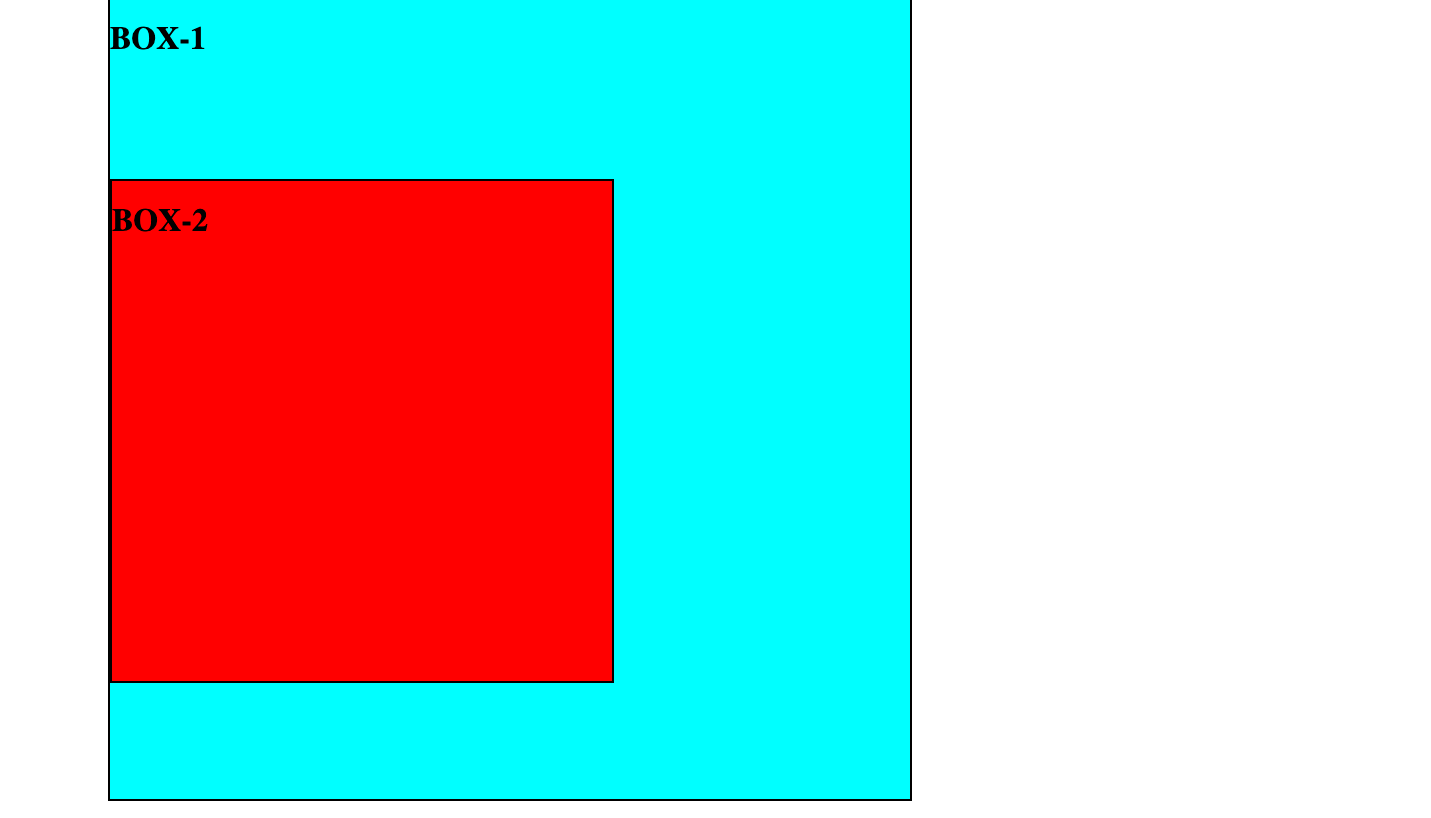
      .box1 {
            width: 800px;
            height: 800px;
            border:2px solid black;
            background-color: aqua;
        }

       .box2 {
             position: relative;
             top: 100px;
             width: 500px;
             height: 500px;
             border:2px solid black;
             background-color: red;
       }
3) Absolute:- When an Element is set with property absolute then immediately element is removed from the flow and also other elements will behave like this element does not exist. absolute property have an access to the top, bottom, left, right, z-index. But The most important thing with absolute property it moves with respect to the parents only if parent element is non-static. But if parent element is static then it will look for grand parent is non-static and again if it is not then it will go on still html tag and finally it will move according to html or browser.
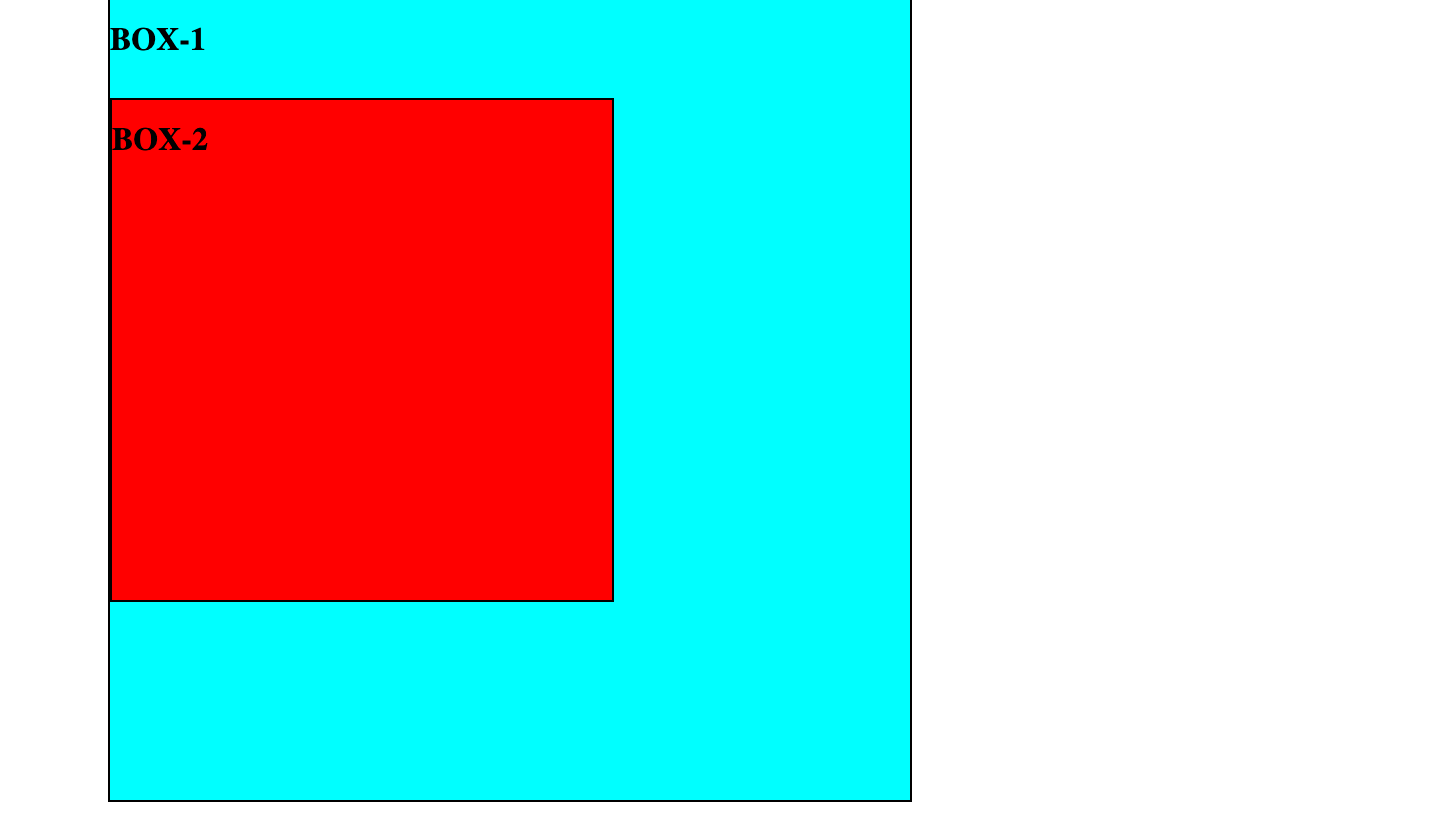
.box1 {
    position: relative;
    width: 800px;
    height: 800px;
    border:2px solid black;
    background-color: aqua;
}

.box2 {
    position: absolute;
    top:100px;
    width: 500px;
    height: 500px;
    border:2px solid black;
    background-color: red;
}
4) Fixed:- After Understanding Absolute property Fixed is no different. In Fixed Property the element is removed from the flow of the document like absolutely positioned elements. and fixed property always move according to document, similarly when absolute element has parent or grandparent element with non-static element. But only difference is as name suggest it remains fixed to its position no matter what, it is unaffected by scrolling. we have all seen advertisement in website the mostly uses fixed property.
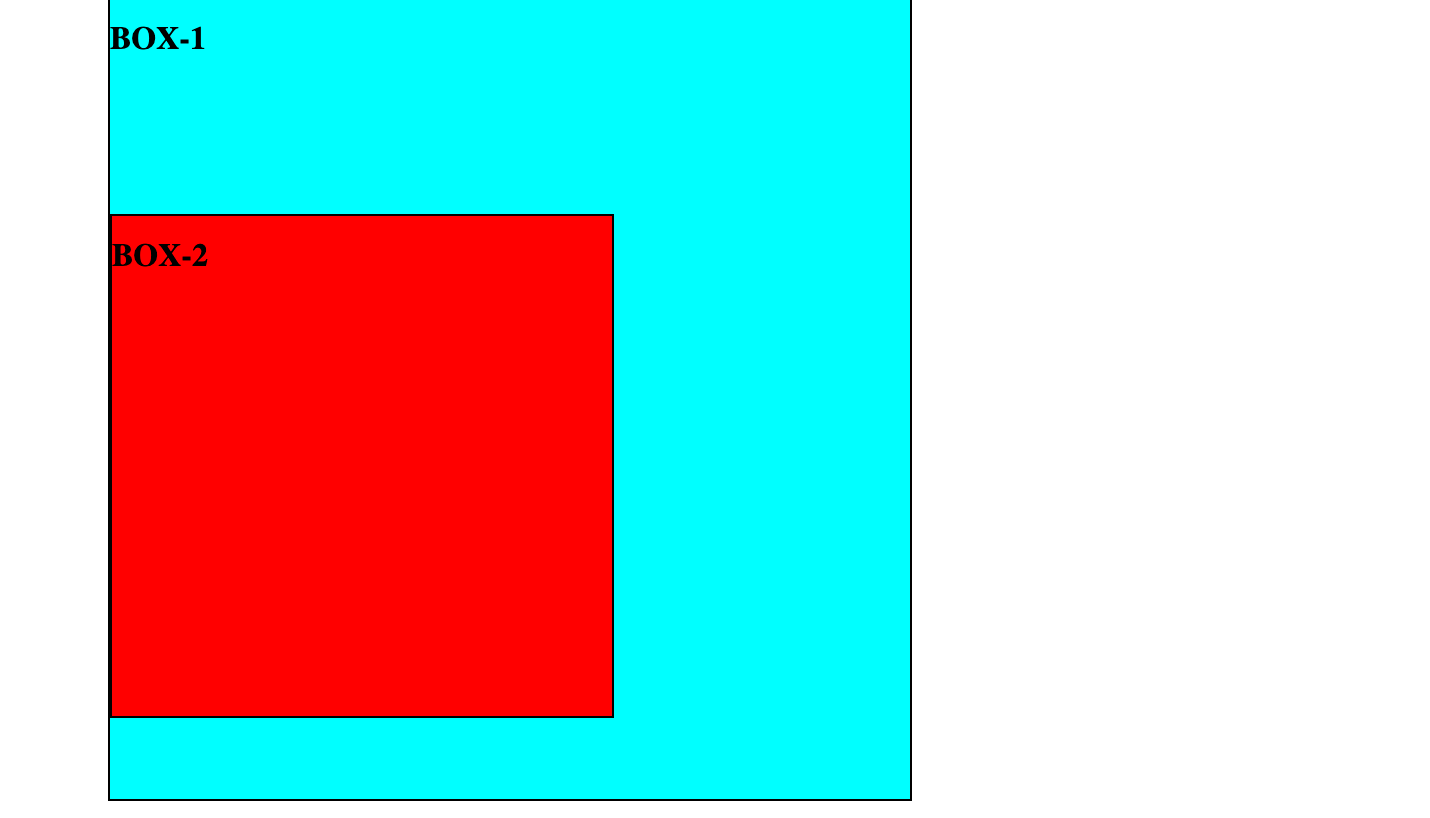
  .box1 {
    width: 800px;
    height: 800px;
    border:2px solid black;
    background-color: aqua;
}

 .box2 {
    position: fixed;
    bottom: 100px;
    width: 500px;
    height: 500px;
    border:2px solid black;
    background-color: red;
}
5) sticky: the element is treated like a relative value until the scroll location of the viewport reaches a specified threshold, at which point the element takes a fixed position where it is told to stick. from scroller in the image, we can see that if we scroll down the page still box2 is sticked at the top with 20px.
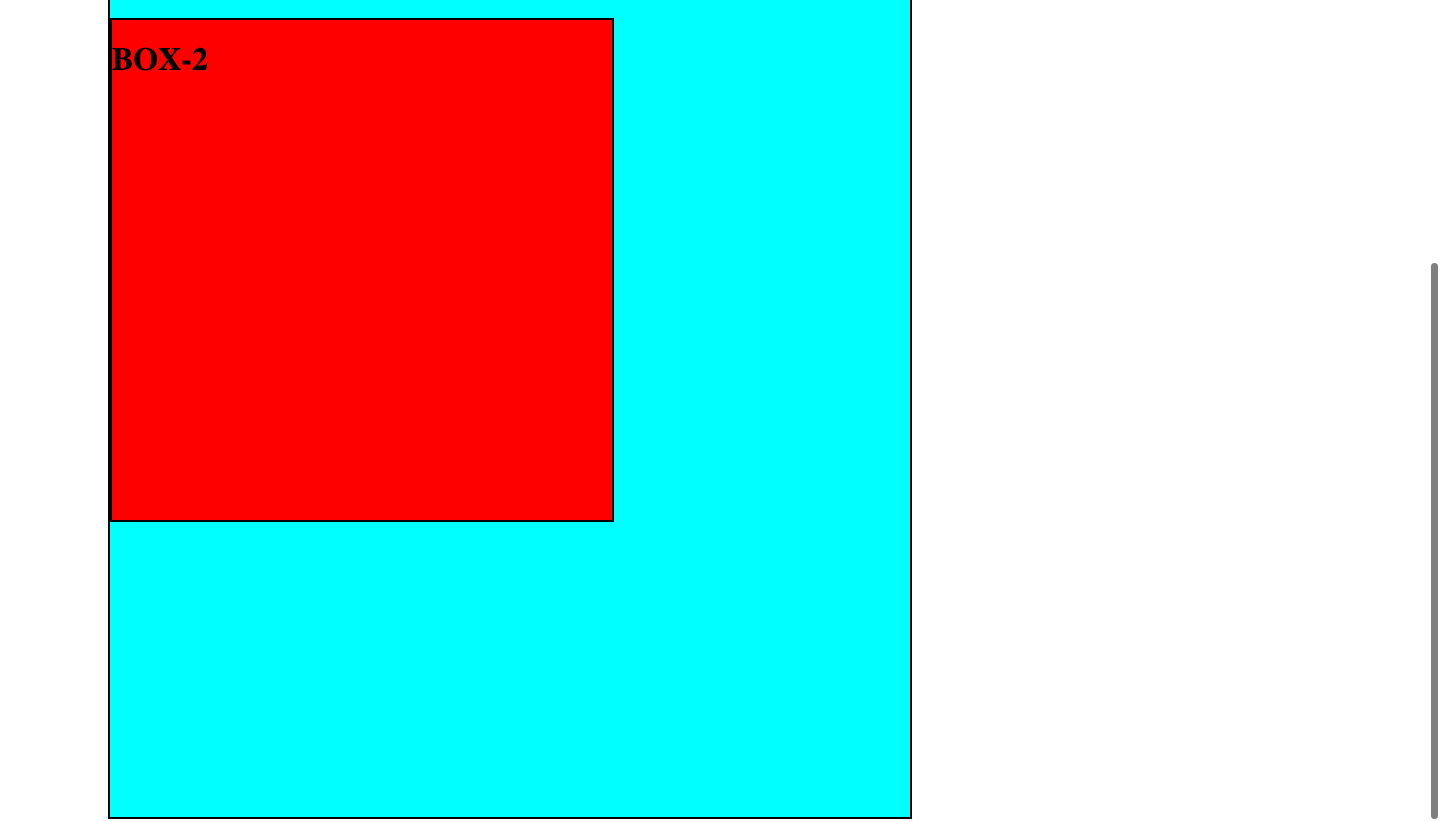
.box1 {
    position: relative;
    width: 800px;
    height: 1200px;
    border:2px solid black;
    background-color: aqua;
}

.box2 {
    position: sticky;
    top:20px;
    width: 500px;
    height: 500px;
    border:2px solid black;
    background-color: red;
}
6) inherit: the position value doesn’t cascade, so this can be used to specifically force it to, and inherit the positioning value from its parent.
Hopefully now we have a better understanding of all six types of position property.


